Make your hero your own: gender, hair, color and skin
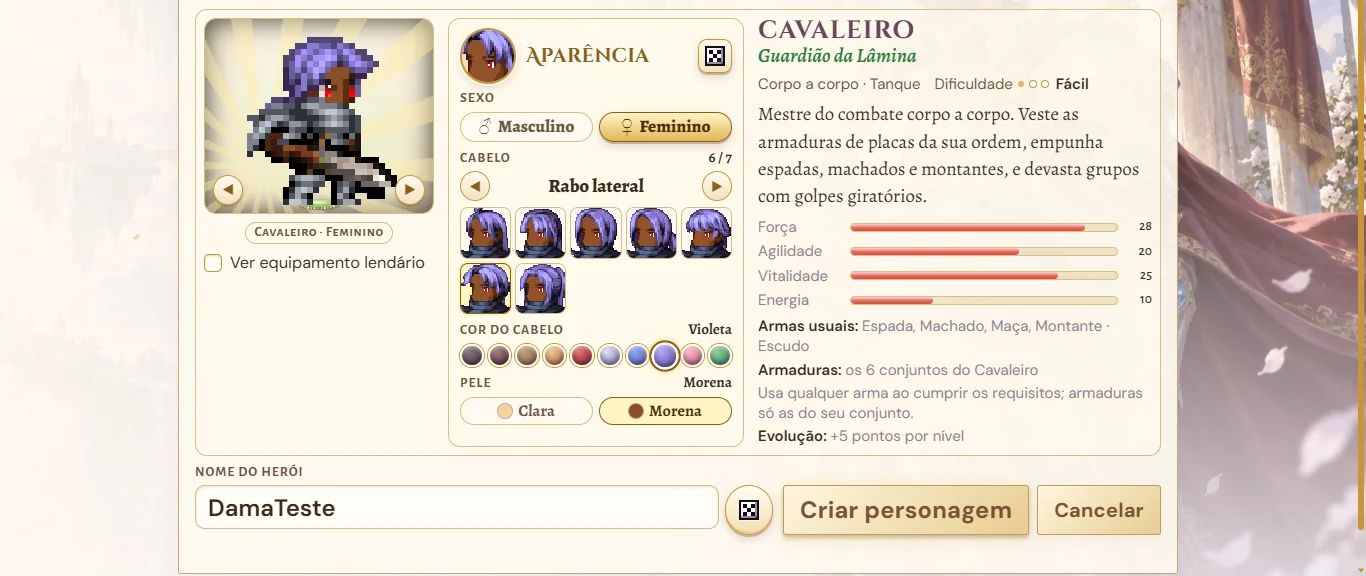
When you create a character, a new block, Appearance, now sits beside the hero. There you pick the Gender (Male or Female), the Hair (10 male and 7 female styles, each with a thumbnail of the face and arrows to browse), the Hair color (Black, Dark brown, Brown, Blond, Red, Silver, Blue, Violet, Pink and Green) and the Skin (Light or Tan). The hero in the preview changes right away, the arrows under it turn the hero, the dice button rolls a random appearance and the tag on the preview shows the chosen class and gender.
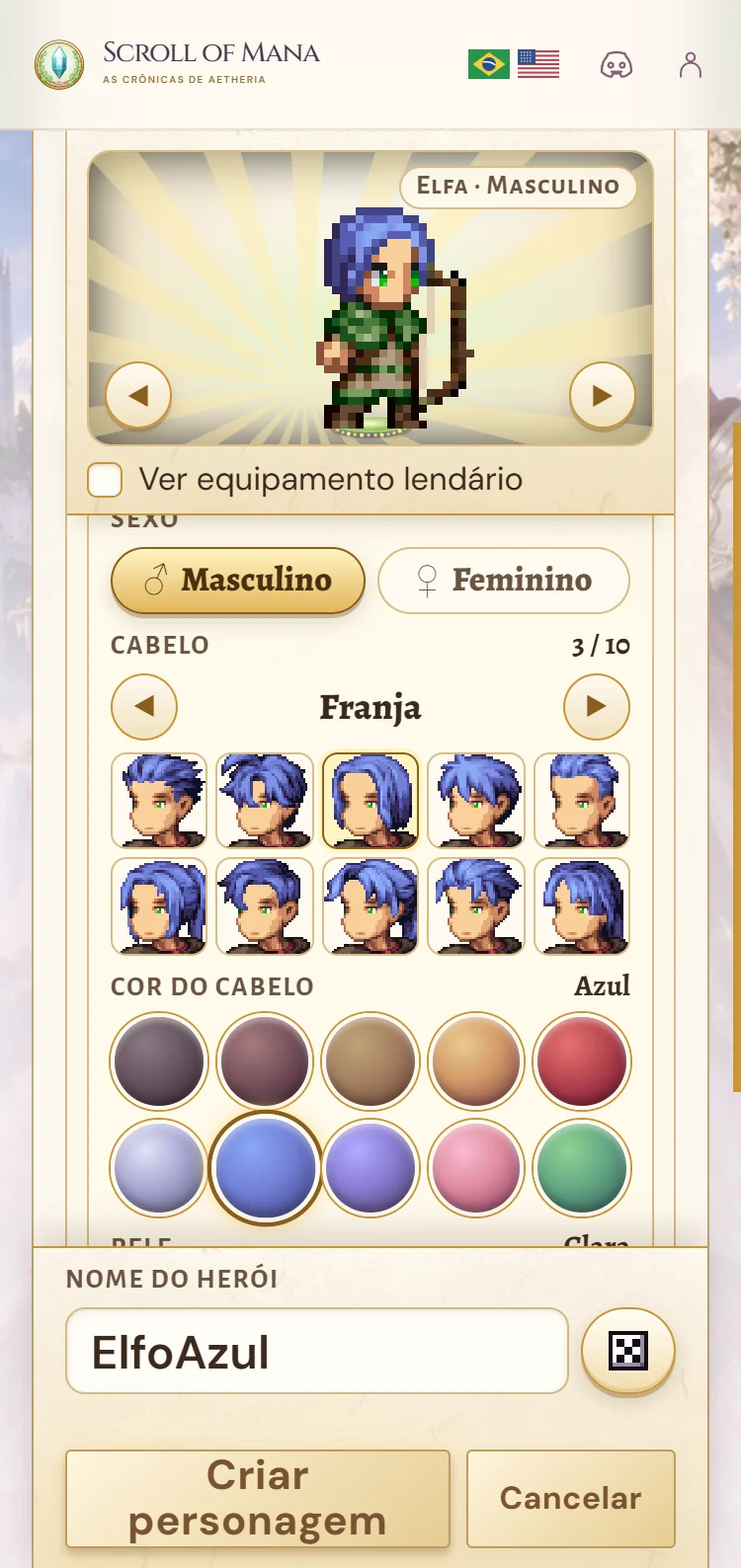
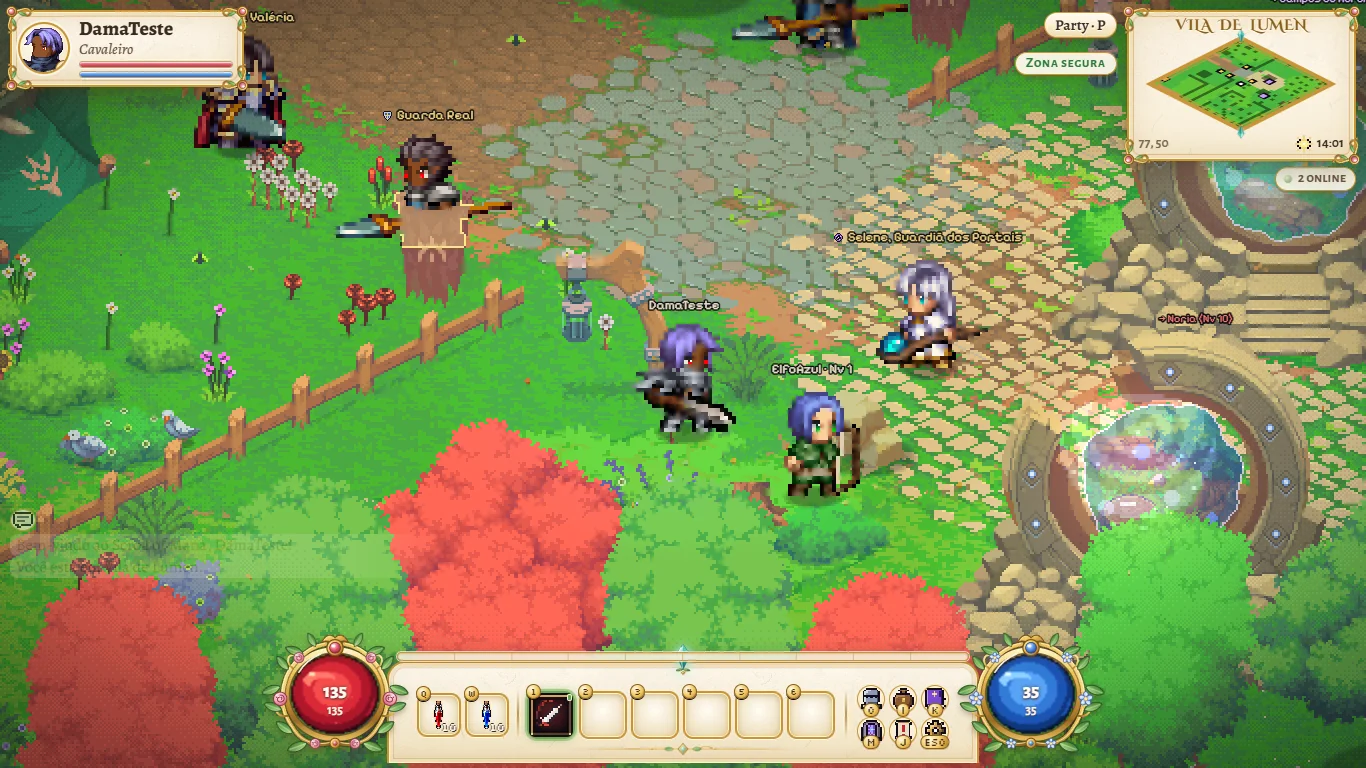
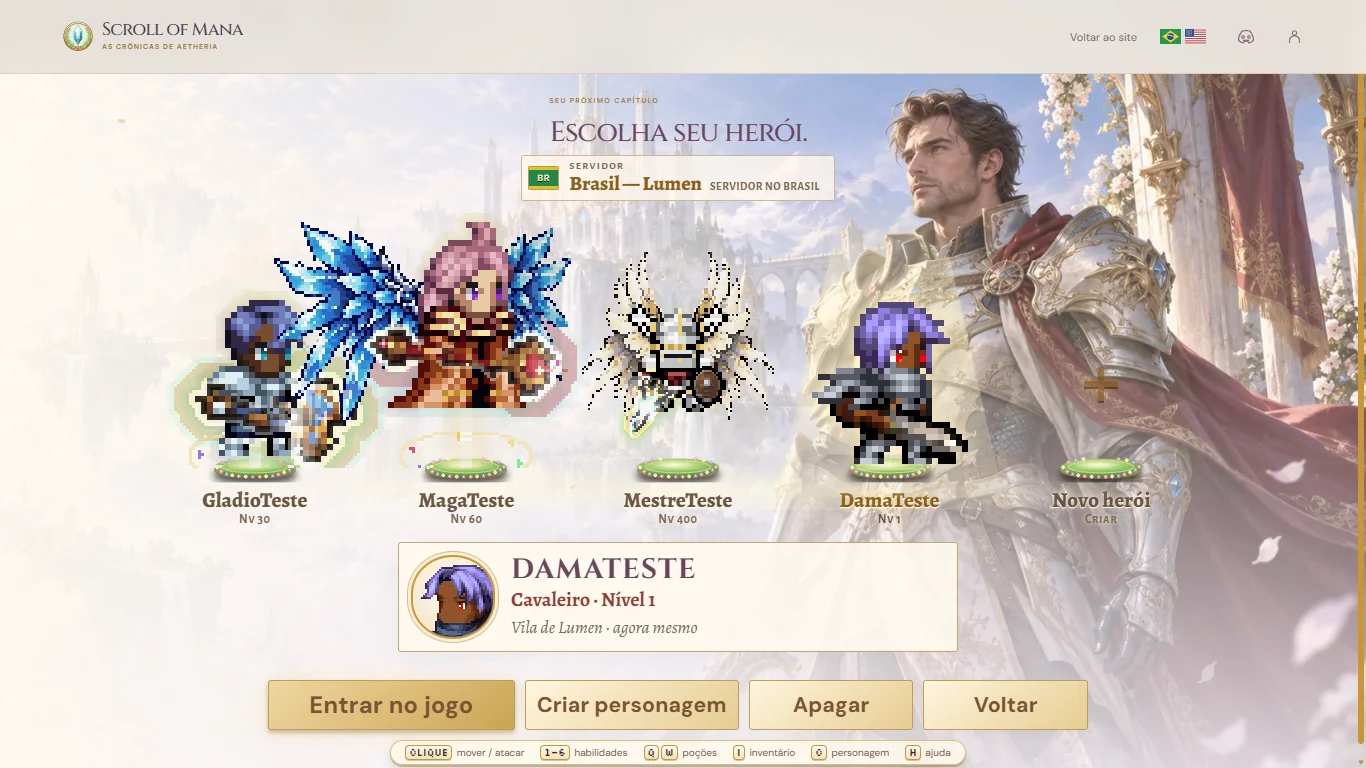
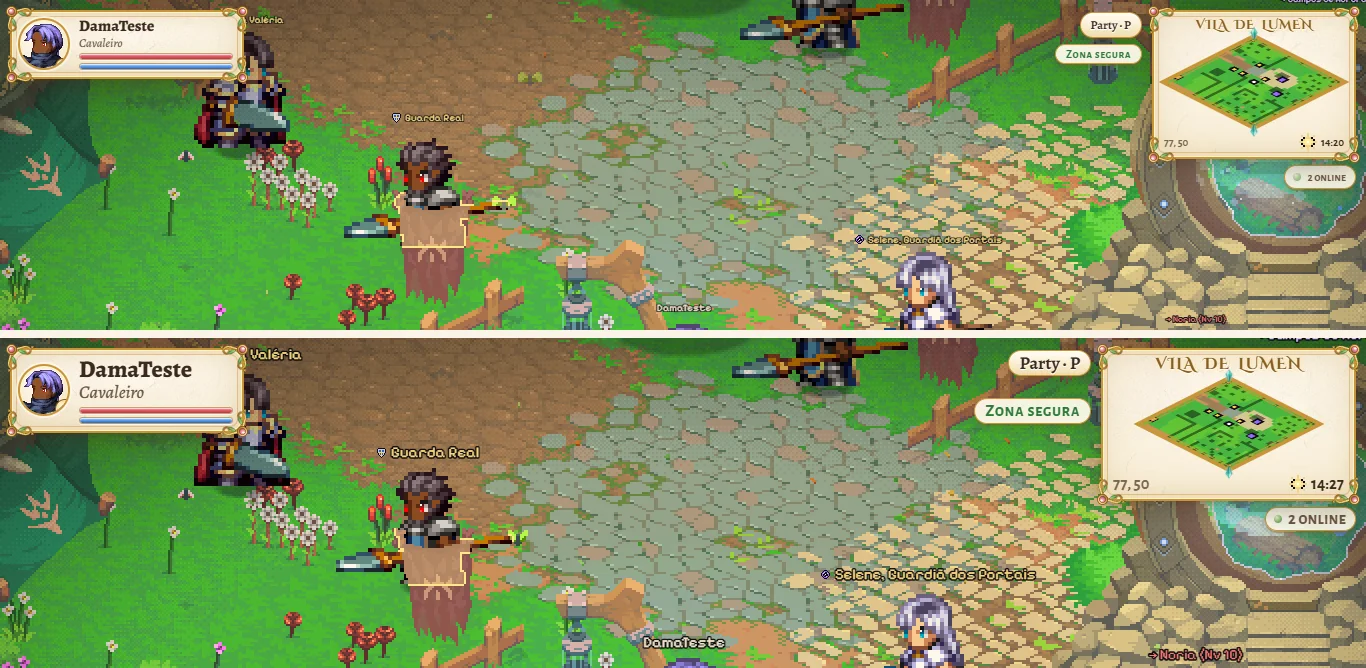
The look you choose goes everywhere with the hero: on the character list, in the game (other players see your hair and skin), on the HUD portrait and in the preview on the My account page. Any style and any color fit any class: you can have a blue-haired Elf or a Knight with a violet side ponytail. If you touch nothing, the class starts with its usual look (female for the Elf, male for the other classes). Heroes created earlier stay exactly as they were.
It works on phones too: the hero preview stays fixed at the top while you scroll through the hair, color and skin options, and everything is picked by touch.
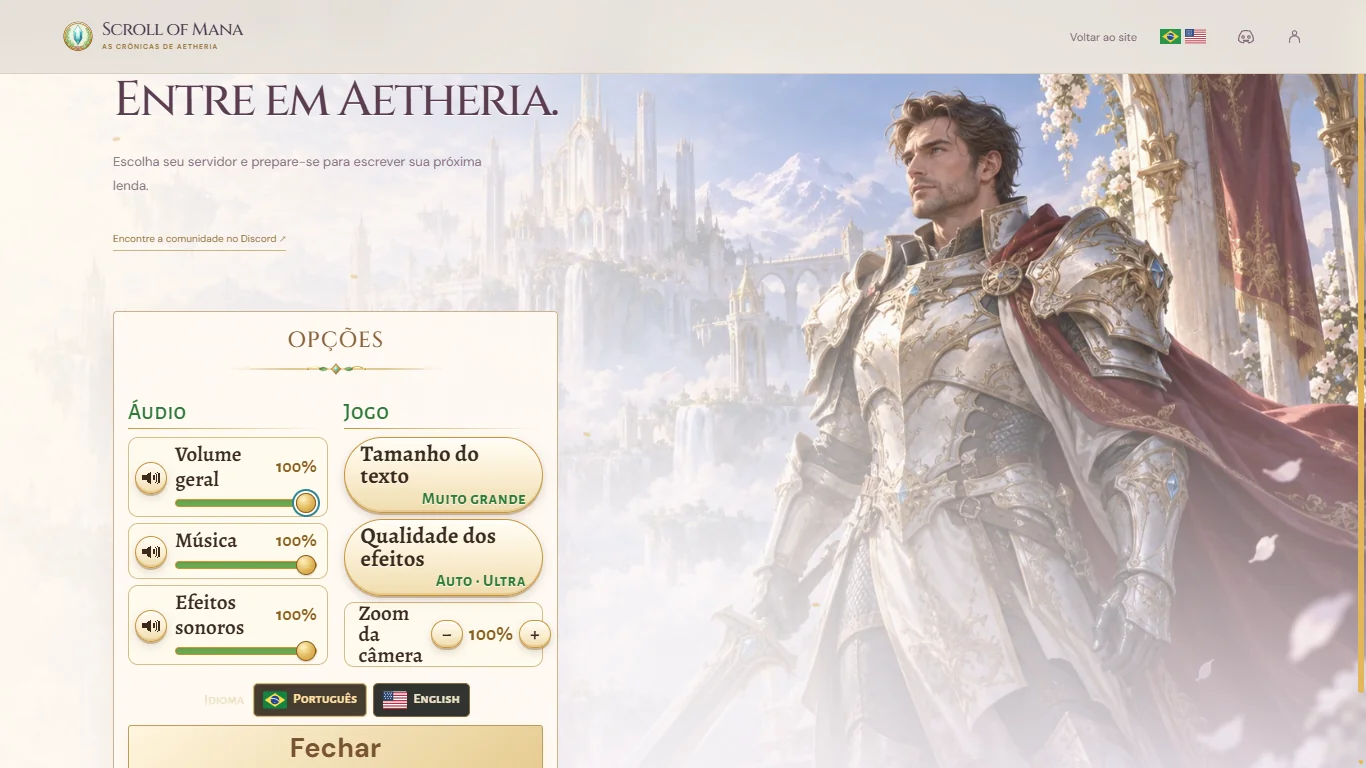
Three smaller improvements also arrived over the last few days. On the character select screen, a Master hero (Blade Master, Grand Master, High Elf, Duel Master or Lord Emperor) now shows at the same size as the others, and its wings no longer cover the neighboring pedestals. The Options on the title screen and the Esc menu gained Text size, with Normal, Large and Extra large; the default is Large and your choice is saved in your browser. And the game starts lighter: the art that only some maps use, such as the interiors, the Celestial Plateau, the Devias Fields and Noria, is loaded the first time you enter them, behind a quick dark veil.
To see it: enter the game, choose the server and click Create character; the Appearance block sits beside the hero, before the name. Text size is in Options on the title screen and in the Esc menu inside the game. The images below show the real game, with test characters created just for the demonstration.
What changed
- Create character: an Appearance block with Gender (Male or Female), Hair (10 male and 7 female styles, with thumbnails and arrows), Hair color (10 colors) and Skin (Light or Tan).
- The dice button rolls a random appearance, the arrows under the hero turn it and the tag shows Class · Gender.
- The chosen look shows on the character list, in the game for everyone, on the HUD portrait and on the My account preview.
- If you touch nothing, each class starts with its usual look; old heroes do not change.
- On phones, the hero preview stays fixed at the top while you scroll the options.
- Character select: Master heroes at the same size as the others; their wings no longer cover the neighboring pedestals.
- Text size (Normal, Large or Extra large) in Options on the title screen and in the Esc menu; default Large, saved in your browser.
- Lighter start: the art that only some maps use loads the first time you enter them, behind a quick dark veil.