
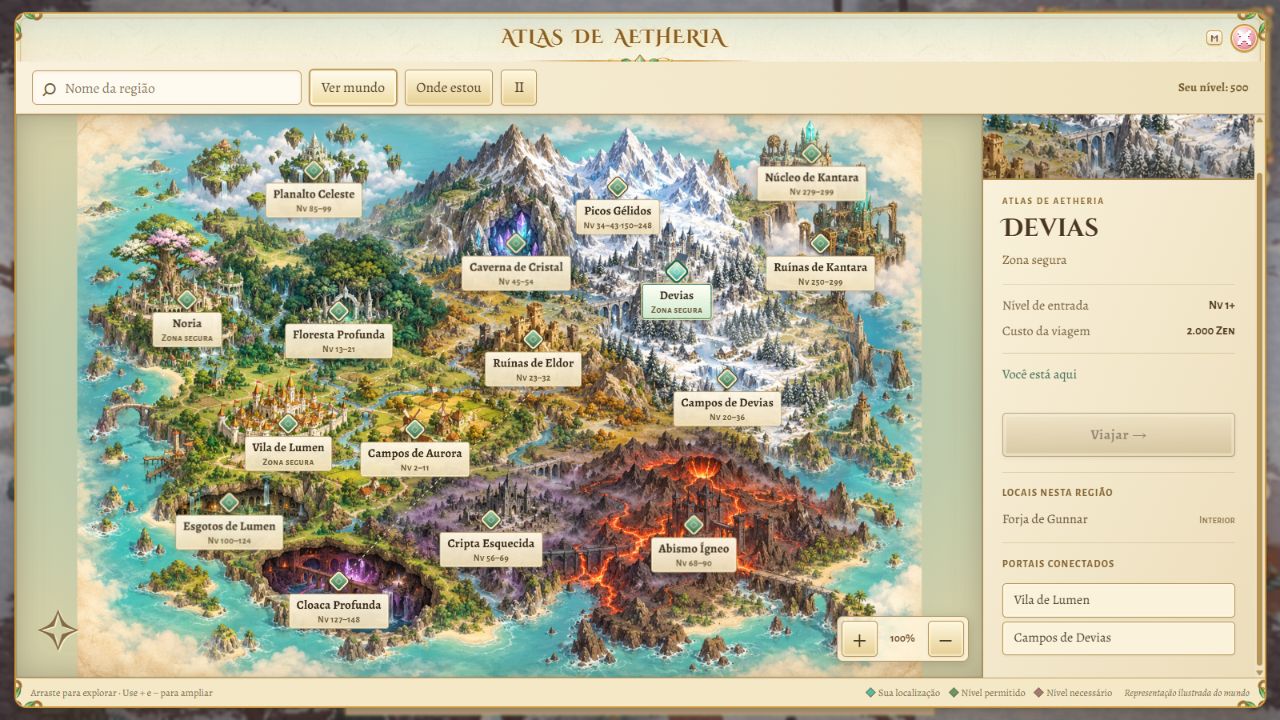
Explore Aetheria through the new animated atlas
The map menu now opens an illustrated atlas. Press M during the game or use the Map button to view the 16 existing travel destinations, including Lumen Village, Noria, Devias, Frost Peaks and Kantara Ruins. The artwork represents the continent and its environments; playable areas remain the game's existing maps.
Clouds drift slowly across the atlas, waterfalls flow from islands and cliffs, crystals glow and lava pulses. A marker highlights your location. Use Pause effects to stop the animations; your device's reduced motion preference is also respected.
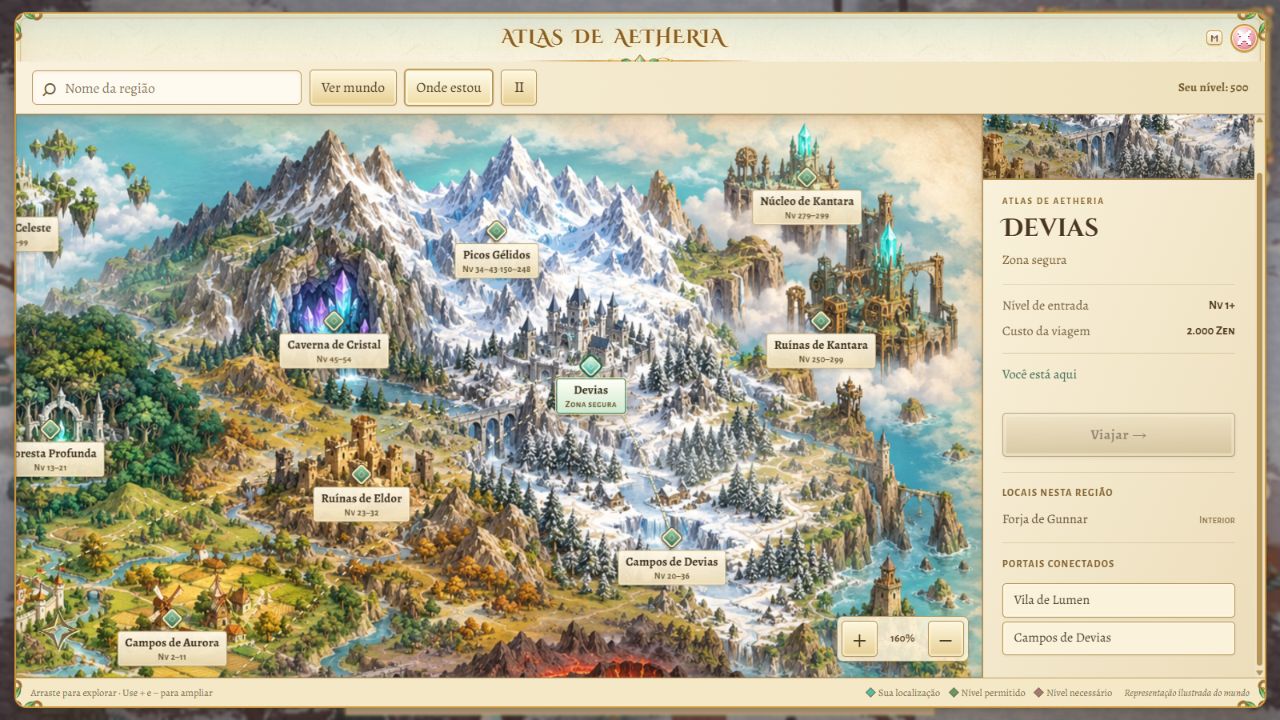
Drag the map and use its zoom controls to explore. World view restores the overview, My location centers your region and search finds names without requiring accents. Selecting a destination shows its entry level, monster levels, Zen cost, regional places and connected portals. Travel starts only when you press Travel and remains subject to the game's requirements, including approaching Selene when needed.
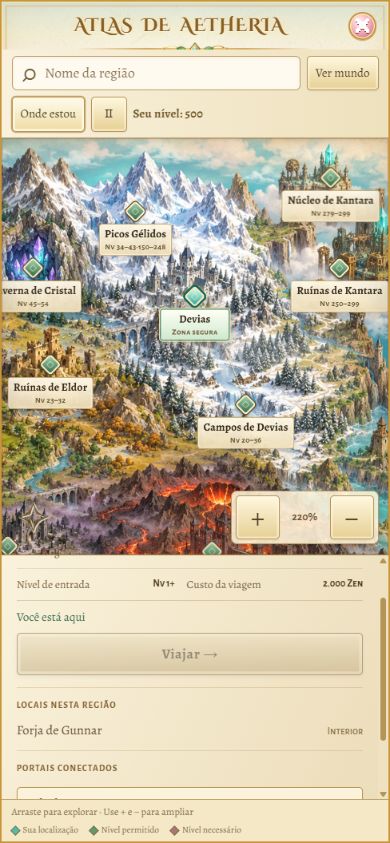
The atlas also adapts to mobile, with map and details accessible in portrait or landscape. Text and controls are available in Portuguese, English and Spanish. This article's images are actual captures of a local demonstration with a fictional character.
What changed
- Illustrated atlas on M and the Map button, covering 16 existing destinations.
- Animated clouds, waterfalls, crystals, lava and location marker.
- Region search, zoom, dragging and location centering.
- Levels, costs, interiors and actual portal connections in each destination's details.
- Separate destination selection and travel confirmation, preserving game requirements.
- Desktop and mobile layouts, keyboard navigation and effect pause controls.