
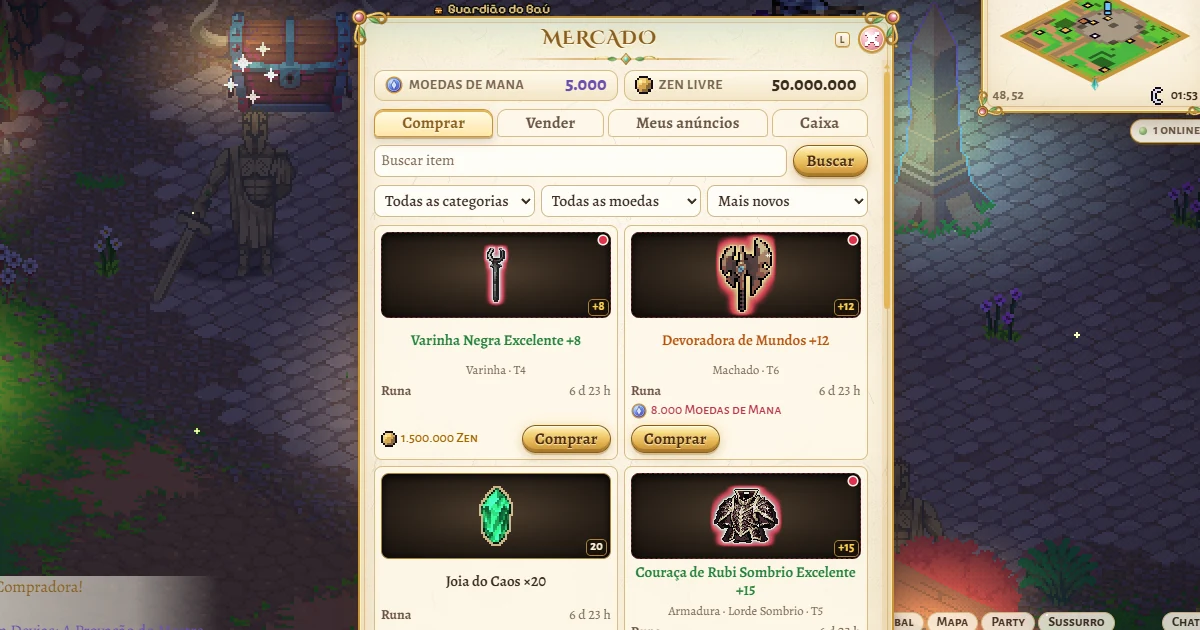
Market: buy and sell items with other players, for zen or Mana Coins
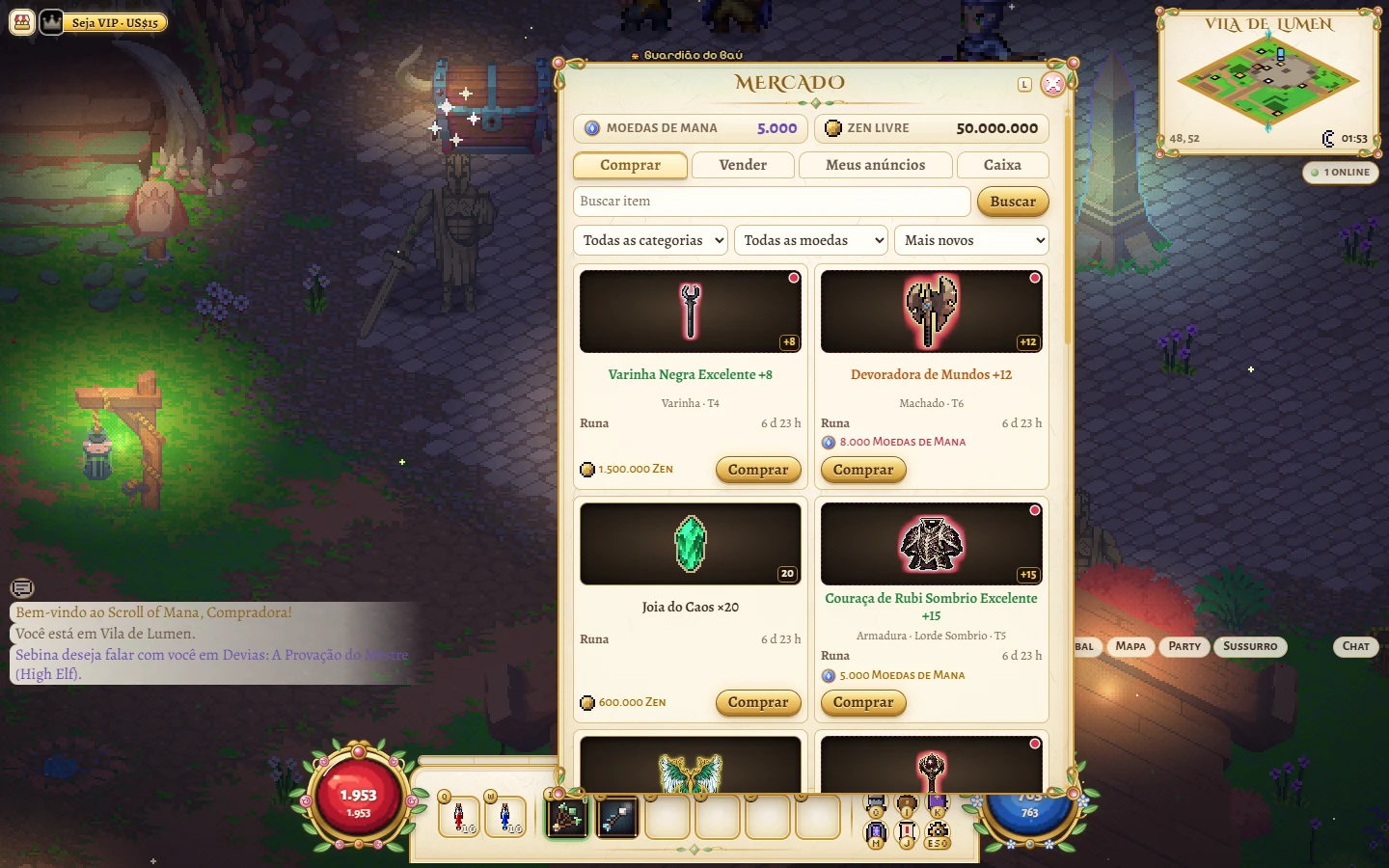
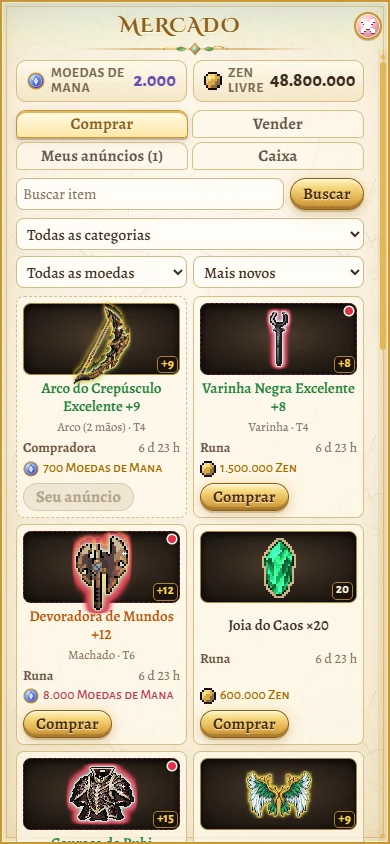
The Market opens anywhere in the game: with the L key, the Market button on the screen, the menu (Esc) or, on a phone, the menu drawer. It has four tabs: Buy, Sell, My listings and Pickup box.
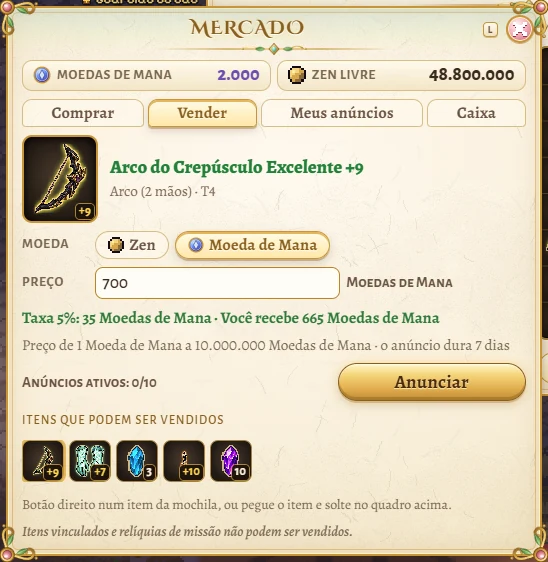
To sell, right-click an item in your bag, drop the item on the Sell tab's slot or pick it from the list of items you can sell. Then choose the listing's currency, zen or Mana Coin, and type the price. Before you list it, the window shows the 5% fee and how much you will receive.
Each account can have up to 10 listings at a time, and each listing lasts 7 days. If nobody buys it, the item comes back to you in the Pickup box. You can cancel a listing in My listings, and the item goes back to your bag (or to the Pickup box if your bag is full). Bound items and quest relics cannot be sold.
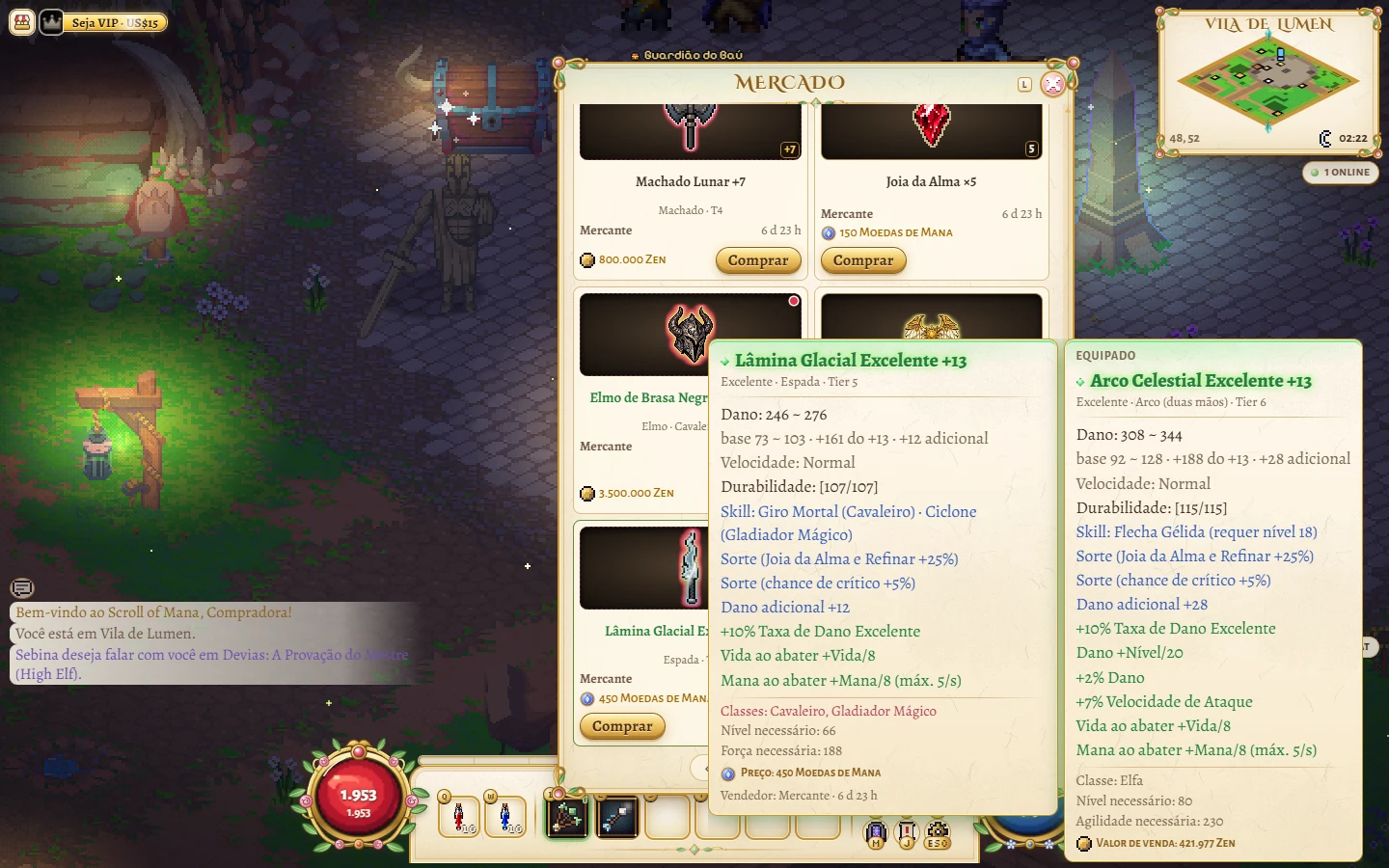
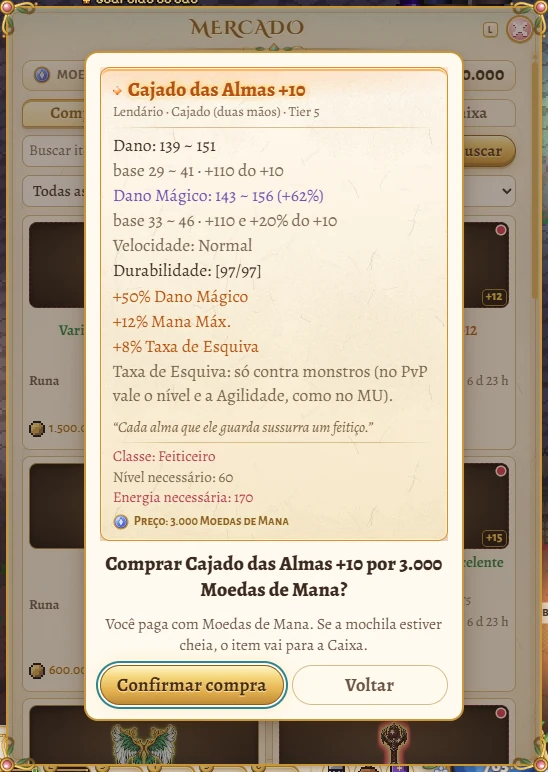
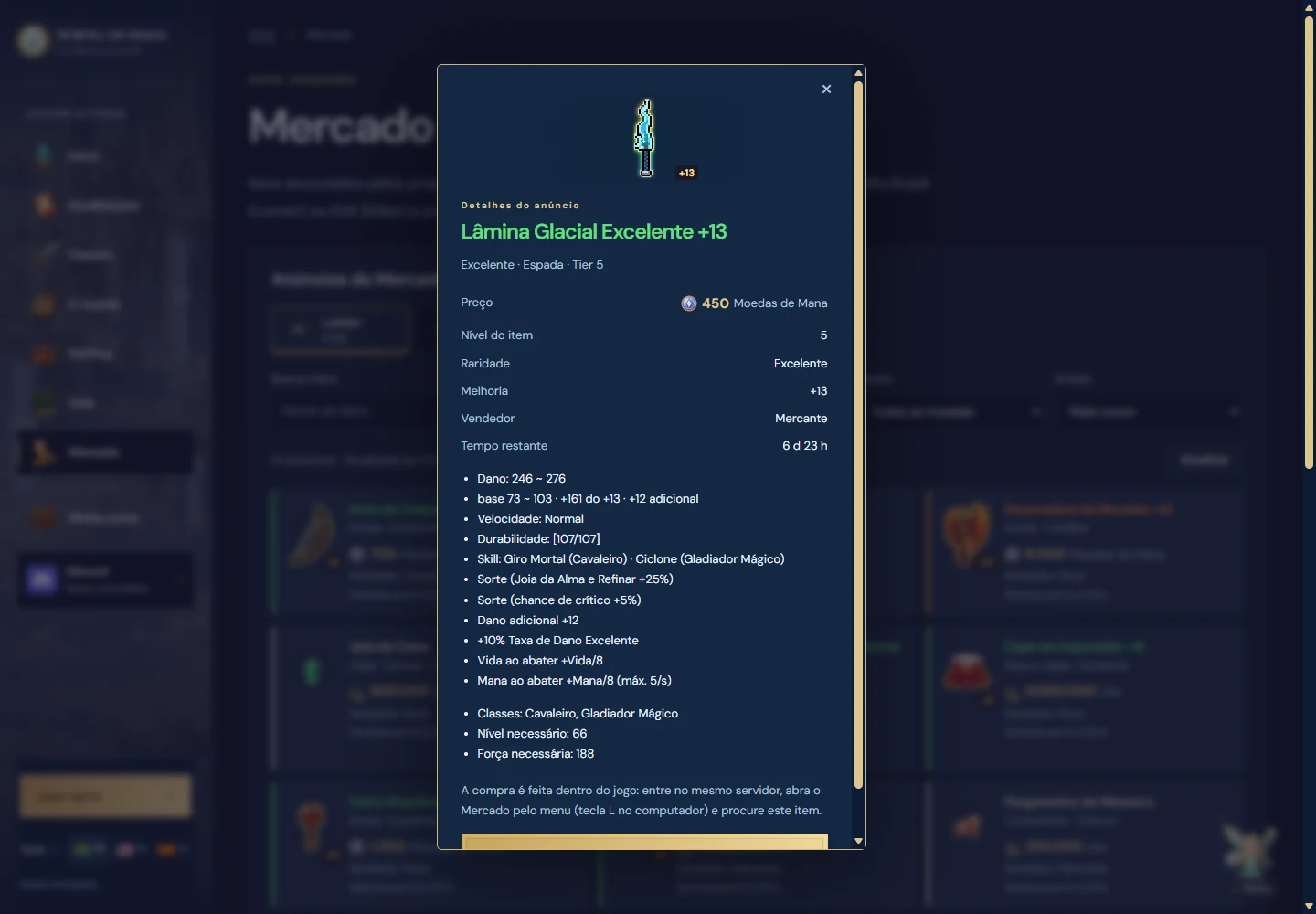
To buy, search by name, category or currency and sort by newest, cheapest or most expensive. Each listing shows the item's icon, its +N, the seller and the time left. Hovering shows the item's full tooltip, the same as in the bag: damage or defense, durability, Luck, Skill, excellent options and what the item requires. Anything your hero cannot use is marked in red. Before paying, the game asks you to confirm.
The buyer pays the listing's price in the currency the seller chose. Only free zen buys in the Market; bound zen does not. If your bag is full, the item you bought waits in the Pickup box.
When one of your items sells, the game tells you. Mana Coins from a sale go straight to your balance, with the fee already taken. Zen from a sale waits in the Pickup box, and you collect it with the Collect zen button.
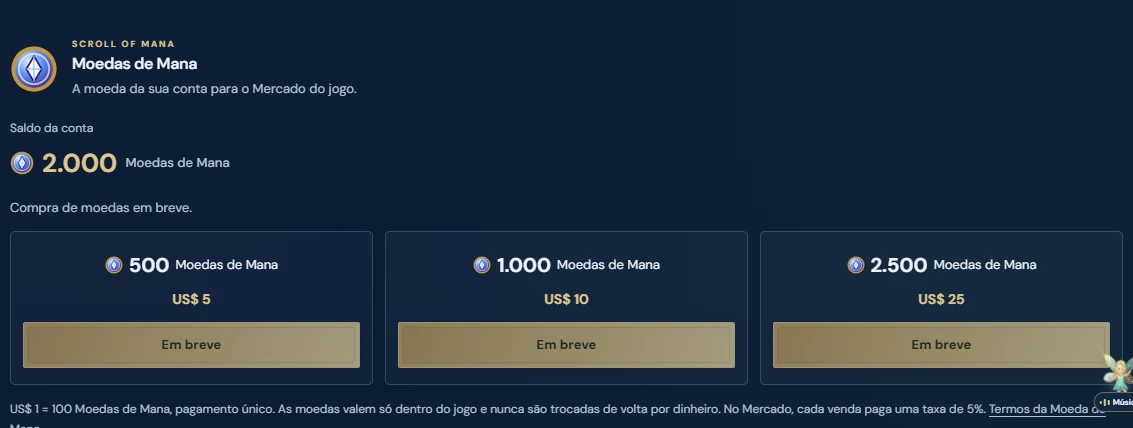
The Mana Coin is your account's currency: it works for all your heroes and only inside the game, and it is never exchanged back for money. Your balance shows at the top of the Market and on the Mana Coins card of the My account page. Buying coins on the website is not open yet and shows as Coming soon. The Terms of Use gained a section about the Mana Coin.
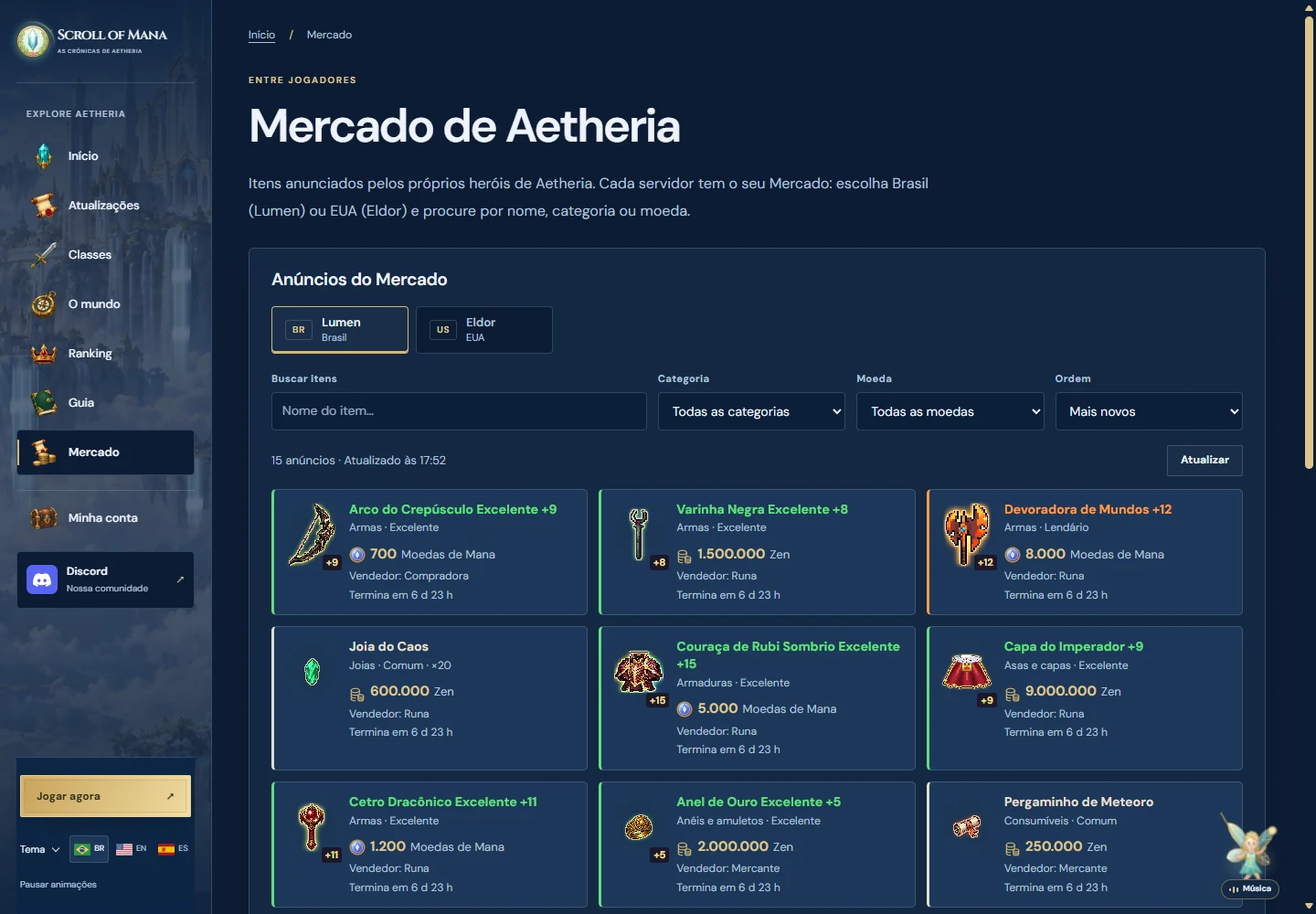
Each server has its own Market: items listed in Brazil (Lumen) only show in Brazil, and items listed in the US (Eldor) only in the US.
On the website, the new Market page shows each server's listings, with search, category, currency, sorting and each item's details. Buying happens only inside the game.
To prevent abuse, each account can create up to 50 new listings per day.
The pictures in this update were taken from the game and the website on a test server, with test heroes and test items.
What changed
- New player Market, opened anywhere with the L key, the on-screen button or the menu.
- Each listing is priced in zen or in Mana Coins; the buyer pays in that currency.
- 5% fee on each sale; up to 10 listings per account, for 7 days; what does not sell comes back in the Pickup box.
- The item's full tooltip on each listing, the same as in the bag, and a confirmation before buying or listing.
- New account currency, the Mana Coin, with its balance in the Market and on the My account page; buying on the website shows as Coming soon.
- New Market page on the website to see the listings in Brazil and the US.
- Terms of Use with a section about the Mana Coin.